Apple Sign-In and VPN Accounts: A Simple Trust Check
A simple guide to Apple Sign-In, VPN accounts, account friction, and what privacy-conscious iPhone users should still check.
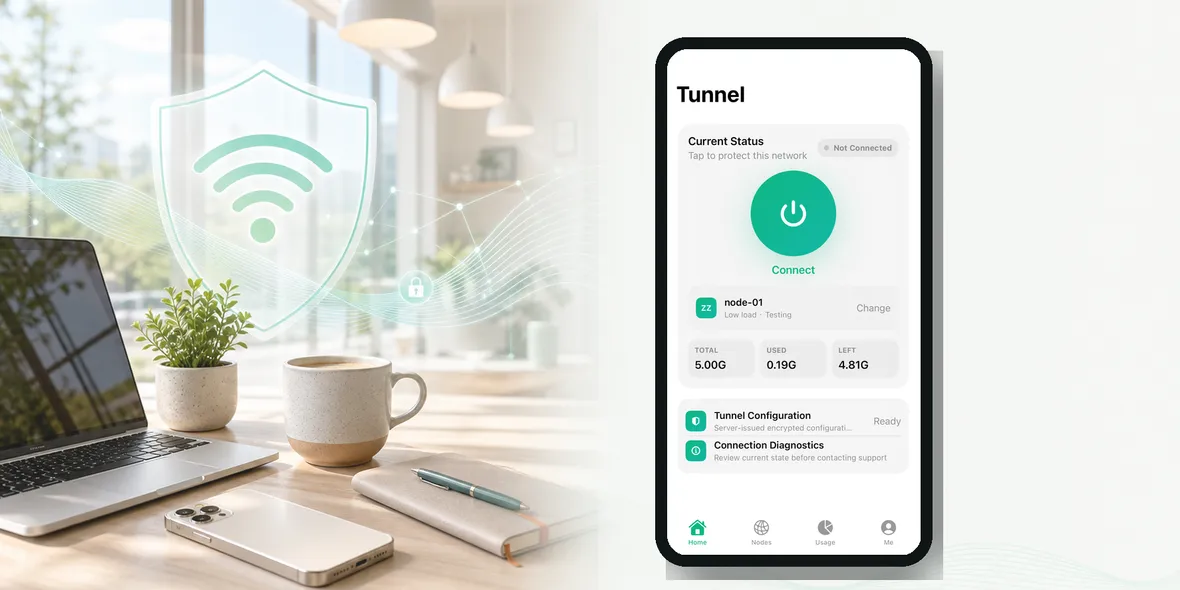
Quick Answer
Apple Sign-In can make account setup easier and reduce some account friction, but it does not automatically prove a VPN is private. Users should still check what the VPN collects, what it does not collect, and whether the app explains its service data clearly.
Best For
Search Intent
The reader wants to know whether using Apple Sign-In for a VPN account is a good idea.
Shareable Angle
Apple Sign-In can reduce account friction, but it is not a replacement for reading the VPN privacy boundary.
Apple Sign-In can make a VPN account feel easier.
Instead of creating another password, you use the Apple account flow that already feels familiar on iPhone. For many users, that is a relief. They do not want another login system, another password, or another account screen before they can connect.
But there is an important distinction: Apple Sign-In can reduce account friction. It does not automatically prove the VPN itself is private.
Those are different questions.
The Simple Answer
Using Apple Sign-In for a VPN account can be convenient, especially for iPhone users.
It may help users create an account more quickly and stay inside a familiar iOS flow. That fits a product that wants to feel simple and native.
But the trust question does not end there. A VPN handles your network connection, so you still need to understand what the VPN service does, what it collects, and what it says it does not collect.
Apple Sign-In is one piece of the account experience, not the whole privacy story.
Why This Feels Relevant After WWDC26
WWDC26 has put Apple privacy and AI trust back into the news. Apple is talking about on-device processing, Private Cloud Compute, and privacy-first architecture for Apple Intelligence.
That broader conversation is useful, but it should not make users lazy about individual apps. Even inside the Apple ecosystem, each app still needs to explain its own account flow, permissions, service data, diagnostics, and privacy boundary.
Source: Apple Intelligence privacy announcement
Why Account Friction Matters
People often decide whether to use a VPN in a hurry.
They are at an airport, hotel, cafe, train station, university library, or shared office. They open the app because they want to connect before checking something personal.
If signup feels slow, confusing, or suspicious, they may quit before using the VPN at all.
That is why account simplicity matters. It is not just a nice detail. It can decide whether users actually turn on the VPN at the moment it matters.
What Apple Sign-In Does Not Solve
Apple Sign-In does not answer these questions:
- Does the VPN collect browsing history?
- Does it store visited URLs?
- Does it collect DNS query details?
- Does it inspect raw traffic content?
- Does it explain diagnostics?
- Does it show usage clearly?
- Does it use official locations or external configs?
Those questions still belong to the VPN provider.
So if a VPN app only says “Sign in with Apple” but says nothing clear about its data boundary, that is not enough.
What To Check In A VPN Account
After creating a VPN account, look for practical clarity:
- Can you see whether the VPN is connected?
- Can you see the official location or node?
- Can you see usage and reset information?
- Can you manage devices?
- Is support easy to find?
- Are diagnostics optional and explained?
- Is the privacy boundary written in plain language?
These are the details that make a VPN feel trustworthy in daily use.
A Real Example
You are in a hotel lobby. You need to check an email and open a booking.
You do not want to build a new account from scratch, manage passwords, import config links, and wonder whether the location is official. You want the app to help you move quickly and clearly.
In that moment, Apple Sign-In is useful because it reduces friction. But you still need the VPN app to explain the connection and data side.
Where Sovatun Fits
Sovatun is designed as an all-in-one iPhone VPN. Apple Sign-In fits that direction because it helps keep account setup simple for iPhone users.
But Sovatun should not use Apple Sign-In as a privacy shortcut. The honest trust statement is more specific: Sovatun does not collect browsing history, visited URLs, DNS query details, or raw traffic content.
Sovatun also keeps official locations built in, so users do not need to create an account in one app and buy nodes somewhere else.
Bottom Line
Apple Sign-In can make VPN setup easier. That is useful.
But do not confuse easier account creation with a full privacy guarantee. A trustworthy VPN should still explain its connection layer role, official locations, usage visibility, and data boundary in plain language.
Quick Questions
Does Apple Sign-In make a VPN private?
No. Apple Sign-In can simplify account creation, but VPN privacy still depends on the VPN service, its technical setup, its privacy policy, and what browsing-related data it does not collect.
Why would a VPN app use Apple Sign-In?
Apple Sign-In can reduce signup friction for iPhone users and make account creation feel more native to iOS.
What should I check after signing in?
Check the VPN connection status, official location, usage, device information, support path, and privacy boundary.