Sovatun Blog
Plain answers to real iPhone VPN questions.
Start with the problem you actually have: hotel Wi-Fi, airport Wi-Fi, confusing VPN claims, one-tap setup, official locations, clear usage, and what connection-layer protection really means.
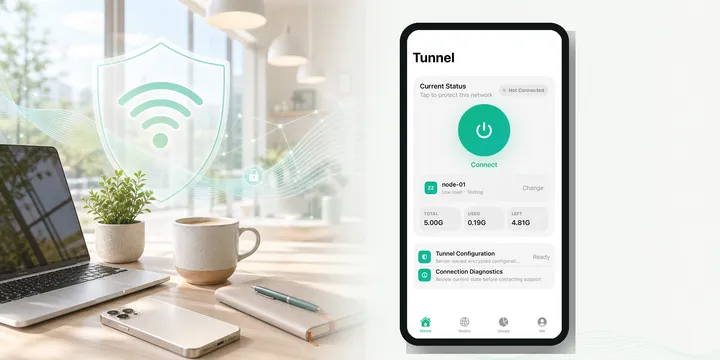
Public Wi-Fi
Is Public Wi-Fi Safe on iPhone?
A simple answer for iPhone users before joining public Wi-Fi at cafes, airports, hotels, campuses, and train stations.
Read ->
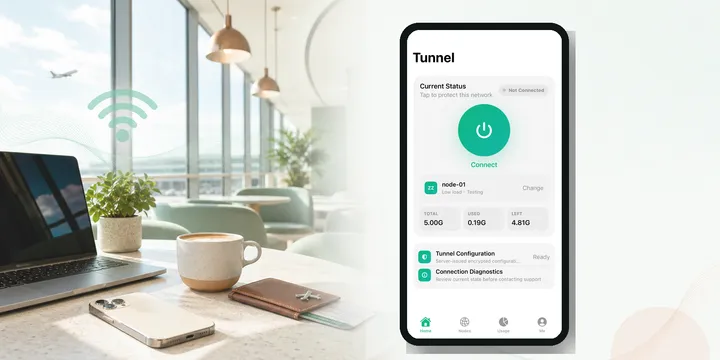
Guide
What Does a VPN Do on iPhone?
A plain explanation of what an iPhone VPN does, when normal users need one, and how Sovatun keeps it simple.
Read ->
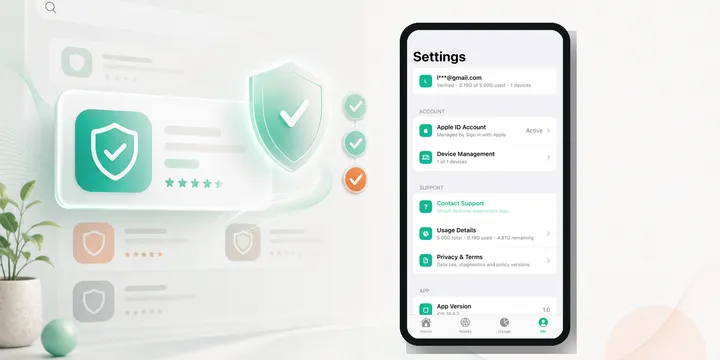
Guide
Free VPNs on iPhone in 2026: What to Check Before Installing
A plain-language guide for iPhone users comparing free VPNs, privacy claims, data collection, and simple public Wi-Fi protection.
Read ->
Sovatun Support
Need help with Sovatun?
Message us on Telegram for setup, usage, account, or public Wi-Fi questions.
Browse by question
These clusters are built around the way people search, not around vague brand slogans.
Public Wi-Fi Questions
Plain answers for cafes, hotels, airports, campuses, train stations, and shared offices.
iPhone VPN Basics
Simple explanations for people who do not want server settings, config files, or jargon.
Honest Privacy Boundaries
What VPNs can help with, what they cannot fix, and what Sovatun says it does not collect.
Travel And Everyday Scenarios
Useful routines for travel days, family trips, remote work, shopping, email, and bookings.
Latest guides
Useful, practical posts for normal iPhone users before they connect to shared Wi-Fi. Read older articles.
Public Wi-Fi
Cruise Ship Wi-Fi on iPhone: A Practical VPN Note Before You Connect
Cruise ship wi-fi vpn: how to use one on iPhone the right way. Satellite backhaul, paid per-device packages, captive portals — and the limits a VPN can't fix.
Read ->
Public Wi-Fi
Fake Wi-Fi Hotspots on iPhone: How to Spot One Before You Connect
Fake Wi-Fi hotspots copy a familiar network name to fool your iPhone. Learn how to spot an evil twin before you connect — and what a VPN can and can't do.
Read ->
Public Wi-Fi
RCS Messages on Public Wi-Fi: What a VPN Does and Doesn't Change on iPhone
RCS is the default iPhone-to-Android texting channel — but it isn't end-to-end encrypted. Here's what a VPN on public Wi-Fi actually protects, and what it can't.
Read ->
Guide
Apple Watch on Public Wi-Fi: Does Your iPhone VPN Cover It?
Your iPhone VPN protects your iPhone — not your Apple Watch. Learn how the Watch joins public Wi-Fi on its own, why watchOS has no VPN, and what to do about it.
Read ->
Public Wi-Fi
Campus Wi-Fi VPN: The Simple Back-to-School Habit for Dorm Wi-Fi on iPhone
Dorm Wi-Fi is a shared network run by someone else — closer to hotel Wi-Fi than home. What a campus Wi-Fi VPN on iPhone does and doesn't fix, plus a move-in-week habit.
Read ->
Privacy
Encrypted DNS vs VPN on iPhone: What Each One Actually Protects
Encrypted DNS and VPN both "encrypt" your iPhone traffic—but at different layers. Learn what each actually protects, what stays visible on public Wi-Fi, and how to choose.
Read ->
Public Wi-Fi
Does a VPN Work on Cruise Ship Wi-Fi? The Honest iPhone Answer
Cruise ship Wi-Fi rides a satellite link with captive portals and metered plans — here's when a VPN works onboard, what it can't fix, and what to do before boarding.
Read ->
Guide
Third-Party App Stores on iPhone and VPN Apps: What to Check First
Third-party app stores on iPhone are new in the EU under the Digital Markets Act. Here's how to tell a real VPN app from an impostor before you install.
Read ->
Public Wi-Fi
iPhone Wi-Fi Assist and VPN: Why Your Phone May Be on Cellular Without You Noticing
Wi-Fi Assist can quietly switch your iPhone from weak public Wi-Fi to cellular data — even with a VPN on. What changes for privacy and your data plan, and how to control it.
Read ->
Guide
Does Your iPhone VPN Cover AirDrop and AirPlay? The Honest Answer
Does a VPN protect AirDrop? No — AirDrop and AirPlay talk device-to-device over Bluetooth and peer-to-peer Wi-Fi, outside the VPN tunnel. Here's the one setting that matters.
Read ->
Public Wi-Fi
Cruise Ship Wi-Fi on iPhone: What a VPN Does and Doesn't Change
Cruise ship wifi vpn explained: what an iPhone VPN can and can't do on satellite-based, per-device ship Wi-Fi — plus the right order to connect.
Read ->
Guide
Does a VPN Work with iPhone Satellite Messaging? When a VPN Doesn't Apply
Satellite messaging on iPhone doesn't run over a normal IP network, so a VPN has nothing to route or protect. Here's when a VPN applies — and when it doesn't.
Read ->
Read older articles Open the full history of Sovatun guides, sorted from newest to oldest.
- Cruise Ship Wi-Fi on iPhone: A Practical VPN Note Before You Connect
- Fake Wi-Fi Hotspots on iPhone: How to Spot One Before You Connect
- RCS Messages on Public Wi-Fi: What a VPN Does and Doesn't Change on iPhone
- Apple Watch on Public Wi-Fi: Does Your iPhone VPN Cover It?
- Campus Wi-Fi VPN: The Simple Back-to-School Habit for Dorm Wi-Fi on iPhone
- Encrypted DNS vs VPN on iPhone: What Each One Actually Protects
- Does a VPN Work on Cruise Ship Wi-Fi? The Honest iPhone Answer
- Third-Party App Stores on iPhone and VPN Apps: What to Check First
- iPhone Wi-Fi Assist and VPN: Why Your Phone May Be on Cellular Without You Noticing
- Does Your iPhone VPN Cover AirDrop and AirPlay? The Honest Answer
- Cruise Ship Wi-Fi on iPhone: What a VPN Does and Doesn't Change
- Does a VPN Work with iPhone Satellite Messaging? When a VPN Doesn't Apply
- WPA3 vs VPN: Does a VPN Still Have a Job on iPhone?
- AirPlay on Hotel Wi-Fi: Why Your iPhone Can't Find the TV (and Why a VPN Won't Fix It)
- Dorm Wi-Fi Is Not Home Wi-Fi: A Simple iPhone Safety Habit for Students
- Apple Pay on Public Wi-Fi: What's Already Protected and What a VPN Still Does
- Fake Wi-Fi on iPhone: How to Spot Look-Alike Network Names Before You Connect
- iPhone VPN DNS Leaks on Public Wi-Fi: A Simple Check
- Dating Apps on Public Wi-Fi: What a VPN Does and Doesn't Change on iPhone
- iPhone Notifications on Public Wi-Fi: What Can Others See?
- Dating Apps on Public Wi-Fi: What a VPN Does and Does Not Change on iPhone
- AirPlay to a Hotel TV: What a VPN Does and Doesn't Protect on iPhone
- Theme Park Wi-Fi on iPhone: A Simple Safety Routine for Family Days Out
- When Not to Use a VPN on iPhone: Practical Cases Where It Gets in the Way
- iPhone Personal Hotspot and VPNs: What Your Laptop Is (and Isn't) Covered By
- Travel eSIM vs Public Wi-Fi: When Does a VPN Still Help?
- Why Some Apps Block VPNs on iPhone: Banking, Streaming, and What to Do
- ChatGPT on Public Wi-Fi: What the Network Sees vs. What the AI Company Sees
- AirPlay on Hotel Wi-Fi: Why Your iPhone Won't Cast (and How a VPN Fits In)
- VPN vs Antivirus on iPhone: What Is the Difference?
- Mobile Gaming on Public Wi-Fi: What an iPhone VPN Can and Can't Do
- Do You Need a VPN on Your Home Wi-Fi? The Honest iPhone Answer
- Is My VPN Actually Working on iPhone? A Simple Way to Check
- AI Chat Apps on Public Wi-Fi: What a VPN Does and Does Not Protect on iPhone
- Streaming on Public Wi-Fi: What a VPN Does and Doesn't Change on iPhone
- Work VPN vs Personal VPN on iPhone: What Actually Happens
- AirDrop on Public Wi-Fi: What It Shares and What a VPN Does Not Change
- Dorm and Campus Wi-Fi on iPhone: A Simple VPN Habit for Students
- Dorm Wi-Fi on iPhone: A Simple Safety Habit for Students
- Airport Wi-Fi Login Checklist for iPhone Travelers
- App Says "VPN Not Allowed" on iPhone? Why Some Apps Block VPNs — and What to Do About It
- Passkeys on Public Wi-Fi: What They Change and What a VPN Still Does
- Campus Wi-Fi Safe iPhone: A Simple VPN Habit for Students
- Dating Apps on Public Wi-Fi: What an iPhone VPN Really Changes
- Private Wi-Fi Address vs VPN on iPhone: What Is the Difference?
- Telehealth Visits on Public Wi-Fi: A Simple iPhone Privacy Routine
- 5G vs Public Wi‑Fi on iPhone: Does Your VPN Still Help on Cellular?
- In-Flight Wi-Fi on iPhone: A Simple VPN Habit Before You Connect
- Do You Need a VPN on Cellular Data? iPhone 5G and LTE Privacy
- Wi‑Fi Calling on Travel Wi‑Fi: When a VPN Helps and When It Gets Tricky
- Airline Wi-Fi and VPNs on iPhone: What to Expect at 30,000 Feet
- VPN Kill Switch on iPhone: What It Is and Why It Matters on Public Wi-Fi
- The VPN Privacy Claim Checklist: What Specific Language to Look For
- When Apple Pushes a VPN Off the App Store: What It Tells You About Choosing One
- VPN Local Network Access iPhone: What Users Should Know
- Why Your iPhone VPN Reconnects When You Switch Networks
- When a VPN App Is a Data Collector: What the Facebook Onavo News Means for iPhone Users
- VPN and Captive Portals: A Safe Connection Order for Travelers
- What Is the Real Risk of Public Wi-Fi? An Honest Explanation
- eSIM vs Public Wi-Fi vs VPN: A Simple Travel Internet Plan
- iPhone Wi-Fi Slow After an iOS Update? Check Your VPN Configuration
- No Config Files, No Node Shopping: The Beginner-Friendly VPN Direction
- Public Wi-Fi in 2026: What Is Actually Still Risky?
- What iPhone VPN Privacy Claims Should Actually Explain
- Is a VPN a Magic Privacy Button?
- Updating iPhone Apps on Public Wi-Fi: When to Wait and When It Is Fine
- Food Delivery Apps on Public Wi-Fi: Small Safety Steps for iPhone
- Job Applications on Public Wi-Fi: A Safer iPhone Routine
- Pharmacy Wi-Fi on iPhone: Be Careful With Personal Tasks
- Photo Backups on Public Wi-Fi: A Practical iPhone Checklist
- Conference Wi-Fi on iPhone: A Practical Safety Checklist
- Free City Wi-Fi: A Practical iPhone Safety Guide
- Before You Give Your Email to Public Wi-Fi
- Supermarket Wi-Fi on iPhone: Use It With a Simple Safety Habit
- Tickets and Appointments on Public Wi-Fi: A Safer iPhone Routine
- Ferry and Cruise Wi-Fi: A Simple VPN Habit for Travelers
- Gym Wi-Fi on iPhone: A Quick Safety Habit Before You Browse
- Hospital Waiting Room Wi-Fi: Browse More Carefully on iPhone
- Museum and Gallery Wi-Fi: A Simple iPhone Browsing Habit
- Public Charging Spots and Wi-Fi: Browse Carefully on iPhone
- Rental Car Wi-Fi: What to Know Before Your iPhone Connects
- Restaurant Wi-Fi on iPhone: A Simple VPN Habit
- Ride-Share and Bus Wi-Fi: A Safer iPhone Browsing Habit
- Shopping Mall Wi-Fi on iPhone: A Quick Safety Routine
- Translation Apps on Public Wi-Fi: A Travel Safety Note
- Airplane Wi-Fi and VPNs: A Simple Travel Routine
- Apartment Building Wi-Fi: Simple Safety Habits for iPhone
- Apple Pay on Public Wi-Fi: What Is Already Protected and What Still Matters
- Coworking Guest Wi-Fi: A Simple VPN Routine for iPhone
- iPhone AI Privacy Features and VPNs: Different Layers, Different Jobs
- Library Wi-Fi for Studying: A Simple iPhone Safety Habit
- Low Data Mode and VPNs on iPhone: A Simple Compatibility Guide
- Personal Hotspot vs Public Wi-Fi: The Easier Safety Choice
- Travel Apps on Public Wi-Fi: Protect the Connection Layer First
- VPN Not Connecting on Public Wi-Fi: Common iPhone Causes
- App Store Privacy Labels for VPN Apps: A Beginner-Friendly Reading Guide
- eSIM Data vs Public Wi-Fi When Traveling: A Practical iPhone Choice
- Fewer VPN Settings Can Be Better for Beginners
- iPhone Unsecured Network Warning: What It Means Before You Browse
- iPhone VPN Configuration Permission Explained for Normal Users
- Turn Off Auto-Join for Public Wi-Fi Before Travel
- Venue Wi-Fi at Football Matches and Concerts: A Quick iPhone Safety Guide
- VPN Before or After a Public Wi-Fi Login Page: The Simple Rule
- VPNs and iPhone Location: What Changes and What Does Not
- VPN Traffic on iPhone: What Uses Data Fastest
- How Much Can You Do With 5GB of VPN Traffic?
- VPN Nodes Without the Extra Purchase Confusion
- iPhone Privacy Settings and VPNs Solve Different Problems
- What Does No-Configuration VPN Mean on iPhone?
- Official VPN Location vs Random Node: What Is the Difference?
- One-Tap VPN Setup: Simple Can Still Be Sensible
- Public Wi-Fi Is Better Than Before, But a VPN Still Has a Job
- Unknown VPN Profiles on iPhone: Why You Should Be Careful
- Using a VPN Only When You Need It: A Simple iPhone Habit
- Used and Remaining Traffic: Why VPN Usage Should Be Visible
- Messaging Apps on Public Wi-Fi: What a VPN Does and Does Not Change
- Leaving an iPhone VPN On All Day: A Practical Trade-Off Guide
- VPN Battery Use on iPhone: What Normal Users Should Expect
- Hotel Wi-Fi VPN Disconnects: Common Reasons on iPhone
- VPNs, IP Addresses, and Public Wi-Fi: What Changes on iPhone
- VPNs and Internet Providers: What Changes When You Connect
- VPN Protection Across iPhone Apps: Safari Is Not the Only Place It Matters
- VPN vs Private Browsing on iPhone: What Is the Difference?
- What Can a VPN Provider See?
- Work Email on Shared Wi-Fi: A Simple VPN Habit for iPhone
- Apple Sign-In and VPN Accounts: A Simple Trust Check
- Auto Location in VPN Apps: A Plain-English Guide
- Opening Cloud Files on Public Wi-Fi: A Simple iPhone Routine
- iPhone VPN Config Links Explained Without the Technical Fog
- Why Travelers Prefer a No-Config iPhone VPN
- What Is an Official VPN Node?
- Video Calls on Cafe Wi-Fi: A Practical VPN Note for iPhone
- Download and Upload Usage in VPN Apps, Explained Simply
- Before You Allow a VPN on iPhone, Read These Privacy Details
- VPNs Do Not Stop Phishing: Public Wi-Fi Safety in Plain English
- 5G vs Public Wi-Fi on iPhone: When Each One Makes Sense
- Airport Lounge Wi-Fi: A Simple VPN Habit Before You Browse
- iCloud Private Relay vs VPN on Public Wi-Fi
- Mobile Hotspot vs Hotel Wi-Fi: A Traveler's iPhone Choice
- Online Shopping on Public Wi-Fi: A Practical iPhone Safety Guide
- Public Wi-Fi Certificate Warnings: Stop Before You Install Anything
- HTTPS, Passwords, and Public Wi-Fi: The Honest iPhone Version
- Public Wi-Fi Login Pages: What to Check Before You Continue
- QR Code Public Wi-Fi: A Quick iPhone Safety Check
- Vacation Rental Wi-Fi: A Simple iPhone Safety Routine
- Cafe Wi-Fi and Work Accounts: Reduce the Easy Risks First
- Europe Summer Travel VPN Guide for iPhone Users
- Fake Wi-Fi Hotspots and Travel in 2026: What Normal Users Should Notice
- Free VPNs on iPhone in 2026: What to Check Before Installing
- Hotel Wi-Fi for Remote Work This Summer: A Simple iPhone Checklist
- No-Logs VPN Audits, Explained Without the Marketing Fog
- Family Public Wi-Fi Checklist for Summer Travel
- Airport Wi-Fi During Summer Travel 2026: A Simple iPhone VPN Routine
- Travel Bookings on Public Wi-Fi: A Safer iPhone Routine
- A VPN Helps on Public Wi-Fi, But It Is Not the Whole Safety Plan
- Can Public Wi-Fi See What I Do on My iPhone?
- How Can I Tell If Public Wi-Fi Is Fake?
- Hotel Wi-Fi and Banking on iPhone: Choose the Safer Path
- Traveling With an iPhone: When a VPN Becomes Useful
- Is Public Wi-Fi Safe on iPhone?
- Logging In to Email on Public Wi-Fi: A Safer iPhone Routine
- Shared Office Wi-Fi and Work Accounts: A Simple iPhone Routine
- Train Station Wi-Fi: A Simple VPN Habit for iPhone Travelers
- VPN Speed on Public Wi-Fi: What iPhone Users Should Expect
- What Does a VPN Do on iPhone?
- Airport Wi-Fi on iPhone: A Simple VPN Habit Before You Fly
- Business Travel Wi-Fi: A Simple iPhone VPN Checklist
- Using Cafe Wi-Fi on iPhone? Do This Before You Browse
- Campus Wi-Fi Safety for Students Using iPhone
- Clear VPN Usage Builds More Trust Than Vague Promises
- Remote Work on Public Wi-Fi: A Simple VPN Routine
- DNS Privacy On iPhone: What Normal Users Should Know
- Traveling in Europe? A Simple iPhone VPN Routine
- Family Travel Wi-Fi: A Simple VPN Habit for iPhones
- Hotel Wi-Fi on iPhone: When a VPN Is Worth Turning On
- VPN Server Locations: Why Clear Choices Are Better
- How To Set Up A Simple iPhone VPN In One Tap
- What Is A Private Tunnel? A VPN Explanation Without Jargon
- Public Wi-Fi Safety Checklist for iPhone Users
- VPN Privacy: What To Look For Before You Trust An App
- Choosing a VPN in the App Store Without Getting Confused
- A Simple VPN Message For Travelers, Students, And Remote Workers
- Seeing VPN Ads Online? Here Is What To Check Before Installing
- VPN App Screenshots Should Explain the Product Before You Install
- Public Wi-Fi Safety In 15 Seconds: The Simple iPhone Habit
- Two Weeks Of Real Public Wi-Fi Questions For iPhone Users
- Sovatun VPN For iPhone: Simple Protection For Public Wi-Fi
Sovatun is positioned around download-and-use simplicity, built-in official locations, connection-layer protection on shared Wi-Fi, clear usage, and privacy language that does not overpromise.