Europe Summer Travel VPN Guide for iPhone Users
A simple guide for iPhone users traveling through Europe, covering hotel Wi-Fi, airport networks, official locations, and realistic VPN expectations.
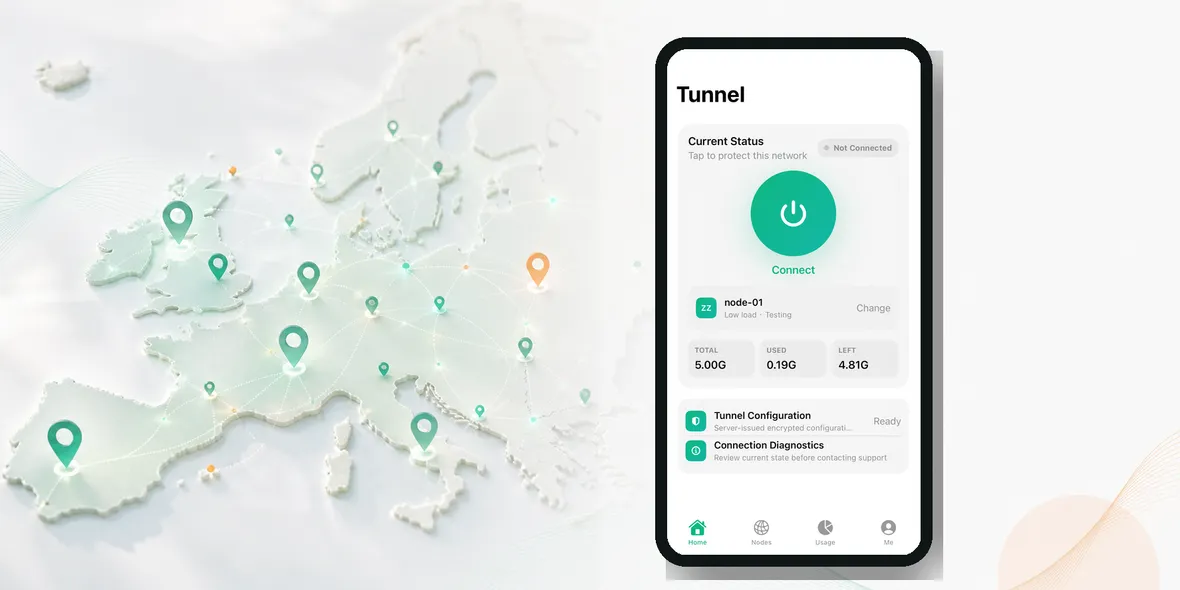
If you are traveling around Europe this summer, you may be asking a very normal question: do I actually need a VPN, or is it just another travel app people recommend?
The simple answer is: you do not need a VPN for every second of your trip, but it is useful when you use public Wi-Fi, shared hotel networks, airport Wi-Fi, train station Wi-Fi, or cafe Wi-Fi.
Europe is full of places where public Wi-Fi is convenient. Hotels offer it. Airports offer it. Cafes offer it. Train stations, coworking spaces, universities, museums, and apartment rentals may offer it too. That convenience is exactly why a VPN can be a practical travel tool.
But the reason should be honest. You are not buying a VPN to become invisible. You are using it to add a private tunnel on networks you do not control.
Start With The Real Travel Problem
Most travelers do not sit down and think, “I need network-layer protection today.”
They think:
- I need to check my hotel booking.
- I need to message family.
- I need to open Apple Maps.
- I need to check a train time.
- I need to answer one work email.
- I need to confirm a payment.
Those are normal tasks. The issue is where they happen.
On a summer trip, you may move from a UK airport to a hotel in Germany, then a cafe in France, then a train station in the Netherlands. Each network is different. You may trust the hotel brand, but you still do not control the network. You may trust the cafe, but you do not know who else is connected.
That is why the best VPN use case for travel is not dramatic. It is ordinary.
When A VPN Makes Sense In Europe
A VPN is most useful when the network is public, shared, or temporary.
Use it when you are on:
- Airport Wi-Fi
- Hotel Wi-Fi
- Cafe Wi-Fi
- Train station Wi-Fi
- University guest Wi-Fi
- Coworking guest Wi-Fi
- Rental apartment Wi-Fi you do not manage
These are all real travel situations. You may only be online for ten minutes, but those ten minutes can include personal accounts, travel documents, or payment confirmations.
It also helps if you are moving between countries and want one consistent habit. You do not want to rethink your security routine every time the Wi-Fi name changes. Confirm the network, connect, turn on your VPN, then browse.
When A VPN Is Less Important
If you are using mobile data from a trusted carrier, the public Wi-Fi issue is different. Mobile data is usually not the same kind of open shared network as airport or cafe Wi-Fi.
If you are only reading public news, checking weather, or looking at a restaurant menu, a VPN may not feel urgent.
But if you are opening email, banking, travel bookings, cloud files, work tools, or account pages, it is worth turning on before you start.
The point is not to be anxious. The point is to match the tool to the situation.
Official Locations Matter More Than Huge Claims
Many VPN apps advertise hundreds or thousands of servers. That can sound impressive, but travelers often need something simpler: clear official locations, stable access, and a product that explains itself.
For Europe, useful location names are the ones people recognize and search for: Germany, France, Netherlands, UK, Switzerland, Sweden, Spain, and Italy.
The practical question is not “does this VPN have an unbelievable number of locations?” The better question is “can I choose an official location clearly and understand what I am using?”
That kind of clarity builds trust.
What A VPN Does Not Fix
A VPN does not make every travel risk disappear.
It does not stop fake booking emails. It does not know whether the website you opened is a scam. It does not protect you if you type your password into a fake page. It does not replace two-factor authentication. It does not make your browser history disappear from your own device.
This is why honest VPN language matters. A VPN can help protect your connection on shared networks. It should not be sold as a cure for every privacy problem.
A Simple Europe Travel Routine
Use this routine whenever you join public Wi-Fi:
- Confirm the Wi-Fi name with the venue.
- Avoid lookalike names or strange captive portals.
- Turn on your VPN before opening personal apps.
- Use trusted apps instead of random links when possible.
- Keep two-factor authentication enabled.
- Disconnect from Wi-Fi when you leave.
This is easy enough to repeat across a whole trip.
If you are traveling with family, it is also easy to explain: “Before we use hotel or airport Wi-Fi, turn on the VPN.”
Where Sovatun Fits
Sovatun is built around simple iPhone use, clear usage, and official locations. It is not trying to overwhelm travelers with complicated settings.
Sovatun does not collect browsing history, visited URLs, DNS query details, or raw traffic content. That wording matters because it tells you what is not collected without pretending a VPN controls every part of privacy.
For Europe travel, Sovatun makes sense when you want one simple habit for hotels, airports, cafes, and train stations.
Use Sovatun for public Wi-Fi and travel across Europe.
Bottom Line
You do not need to keep a VPN in your thoughts all day. You need a simple rule.
When you use public Wi-Fi in Europe and open personal apps, turn on your VPN first.
That is clear, realistic, and useful.