Seeing VPN Ads Online? Here Is What To Check Before Installing
A simple guide for iPhone users who see VPN ads and want to choose a trustworthy app without falling for confusing claims.
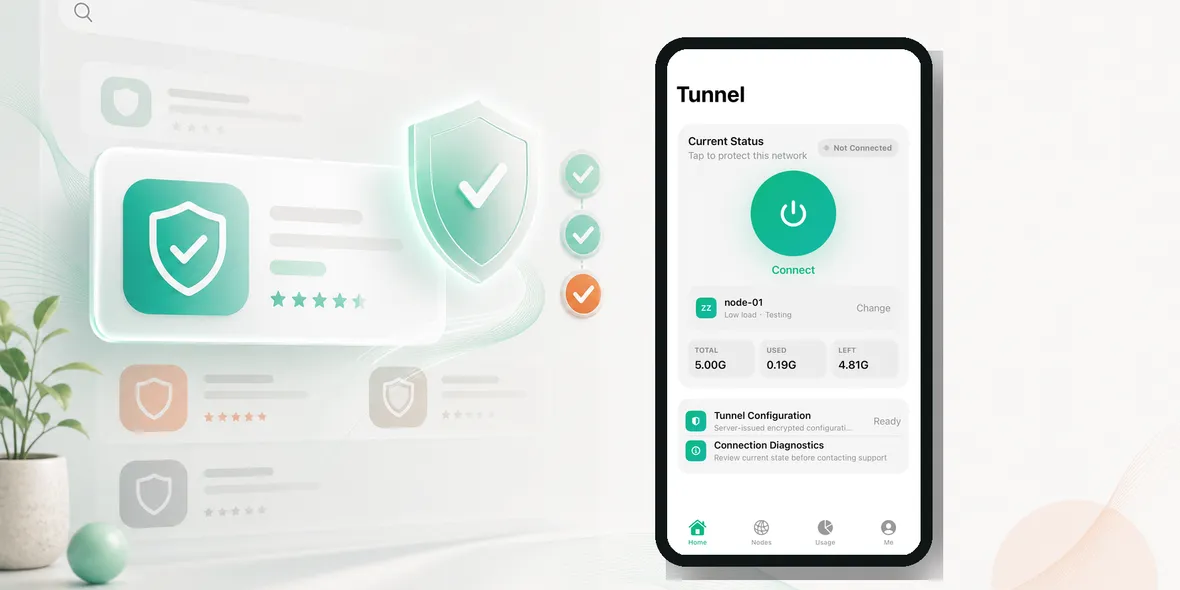
Seeing VPN ads online? What should you check before installing?
The App Store and online ads can make VPN choices feel noisy. Many apps use similar words, so the helpful details are easy to miss.
Seeing VPN ads online? What should you check before installing?
Start With The User Need
Do not start by asking which VPN sounds the most powerful. Start by asking what you need it for.
For many iPhone users, the answer is ordinary: airport Wi-Fi, hotel Wi-Fi, cafe Wi-Fi, campus Wi-Fi, train station Wi-Fi, shared office Wi-Fi, or travel browsing. If the app does not explain those normal situations clearly, it may not be the easiest fit.
What To Check On The App Page
Before installing, look for:
- Open the official app page
- Read privacy wording
- Check screenshots for real UI
- Look for public Wi-Fi use cases
- Avoid apps built around unlock claims
This does not take long. A good VPN should become clearer as you read, not more confusing.
Red Flags
Pause if you see:
- clicking ads that overpromise anonymity
- installing without reading data details
- trusting fake reviews blindly
- ignoring usage limits
- choosing speed claims over clarity
Be especially careful with claims that make a VPN sound like it controls every part of privacy. A VPN helps protect the connection layer, but it does not stop phishing, fake websites, weak passwords, or app-level data collection.
Why Real Screenshots Matter
Screenshots should show the actual product experience: connection status, locations, usage, settings, or support paths. If screenshots only show slogans, users cannot tell how the app works.
For Sovatun-style positioning, the strongest screenshots are practical: connect button, current status, official node/location, usage cycle, remaining traffic, and simple settings.
Privacy Wording To Look For
Specific data language is better than vague privacy language. Sovatun does not collect browsing history, visited URLs, DNS query details, or raw traffic content.
That kind of sentence helps users understand the boundary. It is much clearer than saying a product makes you completely anonymous.
A Simple Decision Rule
If you cannot understand what a VPN does in one minute, keep looking. If the app explains public Wi-Fi use, shows real interface details, gives clear data boundaries, and avoids hype, it is easier to trust.
Where Sovatun Fits
Sovatun is positioned as a simple iPhone VPN for public Wi-Fi and travel, with official locations and clear usage. That is the kind of focused product many users can understand quickly.
Use Sovatun as the iPhone VPN example for honest public Wi-Fi and travel wording.
Takeaway
Good VPN discovery should not depend on dramatic claims. Users need plain language, real screenshots, clear usage, and honest privacy boundaries.
A Simple Comparison Method
When comparing VPN apps, do not start with the loudest claim. Start with the most useful proof. For “Seeing VPN Ads Online? Here Is What To Check Before Installing”, that means checking whether the app explains itself clearly before asking for trust.
Use this quick comparison method:
- Does the screenshot show the real product?
- Does the copy mention a real use case like public Wi-Fi, hotel Wi-Fi, airport Wi-Fi, or travel?
- Does the privacy wording say what is not collected?
- Does the app avoid bypass and unlock language?
- Does it show usage, status, or official locations clearly?
A product that answers these questions well will usually feel more trustworthy than a product built only around speed and anonymity slogans.
Why This Matters For European Users
European users are often familiar with VPNs, but they also pay attention to privacy wording, data handling, and brand credibility. Generic claims are easy to ignore. Clear explanations stand out.
That is why Sovatun should not compete by pretending to be the biggest VPN in the market. It should compete by being easy to understand: simple iPhone setup, official locations, visible usage, and honest privacy boundaries.
What A Good App Page Should Make Obvious
A user should understand the product before installing it. They should see that Sovatun is for public Wi-Fi and travel, not for bypass promises. They should see real UI, clear usage, and direct language about data collection.
That creates trust before the first tap.
Better Ad Angles To Test
Useful VPN ads can be built around real situations instead of vague fear. Test angles like airport Wi-Fi before bookings, hotel Wi-Fi before email, cafe Wi-Fi before work apps, public Wi-Fi while traveling, and clear usage with no surprises.
Each ad should answer one question. If the ad tries to explain every VPN benefit at once, users will ignore it. A simple scene plus one action is stronger.
Landing Page Consistency
The landing page or App Store page should match the ad. If the ad talks about hotel Wi-Fi, the next page should show public Wi-Fi, iPhone simplicity, official locations, clear usage, and honest data boundaries.
Do not send users from a practical ad into a generic privacy page. The promise, visual, and CTA should feel connected. That improves trust and helps users understand why Sovatun fits their situation.