What Is A Private Tunnel? A VPN Explanation Without Jargon
A simple explanation of private tunnels, public Wi-Fi, and how Sovatun VPN helps iPhone users browse with more confidence.
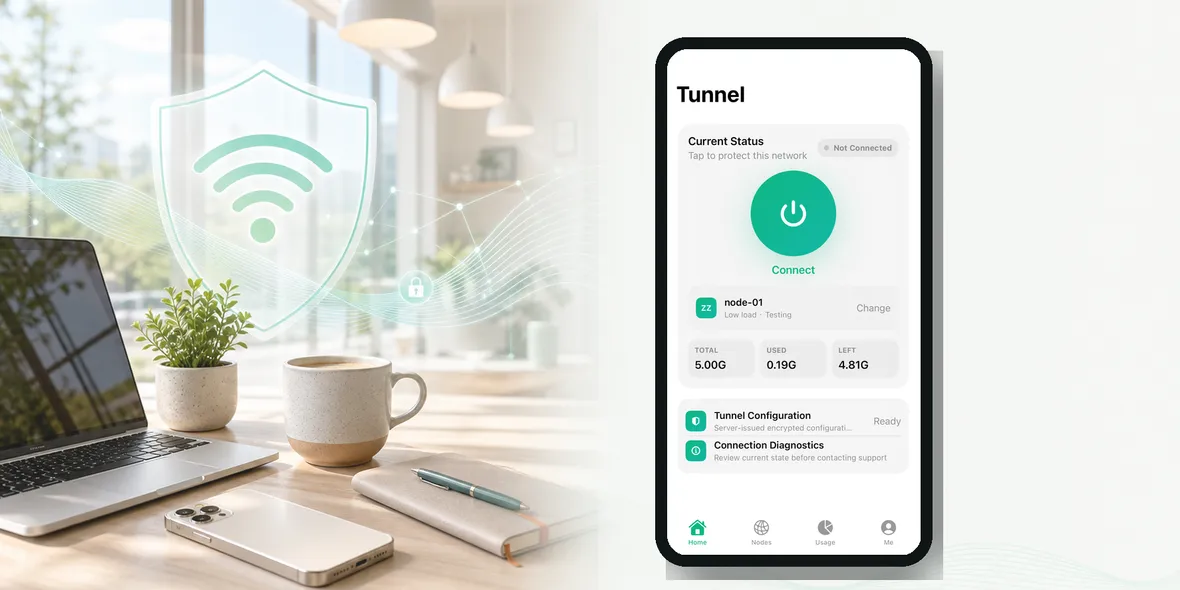
Quick Answer
A private tunnel is a protected connection path between your iPhone and the VPN service. On public Wi-Fi, it helps with the connection layer before you browse, but it does not make every website, app, password, or account private.
Best For
Search Intent
The reader wants a jargon-free explanation of a VPN private tunnel.
Shareable Angle
A private tunnel is easier to understand when you stop treating it like magic.
The simple answer: a private tunnel is a protected path for your iPhone connection when you are using a network you do not control.
This topic can sound technical, but normal users only need the practical version. You do not need to understand every network term to make better choices on public Wi-Fi.
The Plain-English Version
Think about your iPhone connection as a path. When you use home Wi-Fi, that path starts on a network you probably trust. When you use public Wi-Fi, that path starts on a network you do not manage.
A VPN helps by creating a private tunnel for that connection. It is most useful before you open personal accounts, work tools, travel bookings, or pages that require signing in.
Why Users Get Confused
VPN marketing often uses words like private, anonymous, secure, encrypted, no logs, or protected. Those words are not all the same. Some are useful. Some are too vague.
A normal user should not have to guess what the product means. The best explanation says what the VPN helps with, what it does not control, and what data the service does not collect.
A Real Example
Imagine using airport Wi-Fi. The Wi-Fi gets you online, but you do not manage it. A VPN tunnel adds a more controlled path for your browsing connection.
In that moment, the question is not whether you can become invisible online. The useful question is whether you can make the connection safer before you browse on a shared network.
What To Be Careful About
Do not let technical language hide practical risks. Be careful with:
- thinking the tunnel checks every website
- believing it stops scams
- using fake login pages
- ignoring app privacy settings
- confusing connection privacy with account privacy
These problems are not solved by a single button. They need normal account safety habits too.
What Sovatun Says Clearly
Sovatun does not collect browsing history, visited URLs, DNS query details, or raw traffic content. This is the kind of specific statement users can understand and compare.
Some service data may still be needed for accounts, purchases, support, diagnostics, or plan usage. That is why clear privacy language should say exactly what is and is not collected.
How To Use This Knowledge
Before using public Wi-Fi on iPhone:
- confirm the network name
- turn on your VPN before personal browsing
- use trusted apps or typed website addresses
- keep two-factor authentication on
- use mobile data for very sensitive tasks
The idea is not to make every user technical. The idea is to make the next decision easier.
Where Sovatun Fits
Sovatun is designed for users who want the practical benefit without a complicated setup. It gives your iPhone a simple private tunnel for shared networks, plus clear usage so the service does not feel hidden.
Use Sovatun as a simple iPhone VPN private tunnel for public Wi-Fi.
Takeaway
A VPN is useful, but it is not magic. It helps with the connection layer on networks you do not control. Pair that with trusted apps, strong account habits, and clear expectations.
What Normal Users Should Remember
The technical details matter, but the user decision is simple. If you are on a network you do not control, protect the connection before doing personal things. If you are signing in, sending work information, checking private details, or opening account pages, use a safer routine.
For “What Is A Private Tunnel? A VPN Explanation Without Jargon”, the most important distinction is between connection protection and total privacy. A VPN can help with the connection path. It does not decide whether a website is honest, whether an email is a scam, whether an app collects its own data, or whether your password is strong.
That distinction makes the advice more trustworthy. Users do not need exaggerated claims. They need to understand what the tool is good at.
A Simple Way To Explain It To Someone Else
You can explain it like this:
A VPN gives your iPhone a private tunnel when the Wi-Fi network is shared. It is useful before browsing on public Wi-Fi, especially before account pages. It does not replace careful clicking, strong passwords, or two-factor authentication.
That explanation is short, but it is more honest than saying a VPN makes everything private.
Questions To Ask Any VPN
Before trusting a VPN, ask:
- Does it explain what it does in plain language?
- Does it say what data it does not collect?
- Does it avoid impossible anonymity claims?
- Does it show connection status clearly?
- Does it fit the public Wi-Fi situations I actually face?
Sovatun is built around that practical standard: simple iPhone use, visible usage, official locations, and clear data boundaries.
Quick Questions
What is a VPN private tunnel?
It is a protected connection path for your network traffic between your device and the VPN service, especially useful when the first network you join is shared.
Does a private tunnel make every app private?
No. It helps with the connection path, but apps and websites can still collect their own data after you use them.
Why does Sovatun call itself simple?
Sovatun focuses on download-and-use setup, official locations built in, clear usage, and honest privacy boundaries instead of complicated configuration.