Public Wi-Fi Safety In 15 Seconds: The Simple iPhone Habit
A quick, easy-to-read guide to the public Wi-Fi habit Sovatun wants every iPhone user to remember.
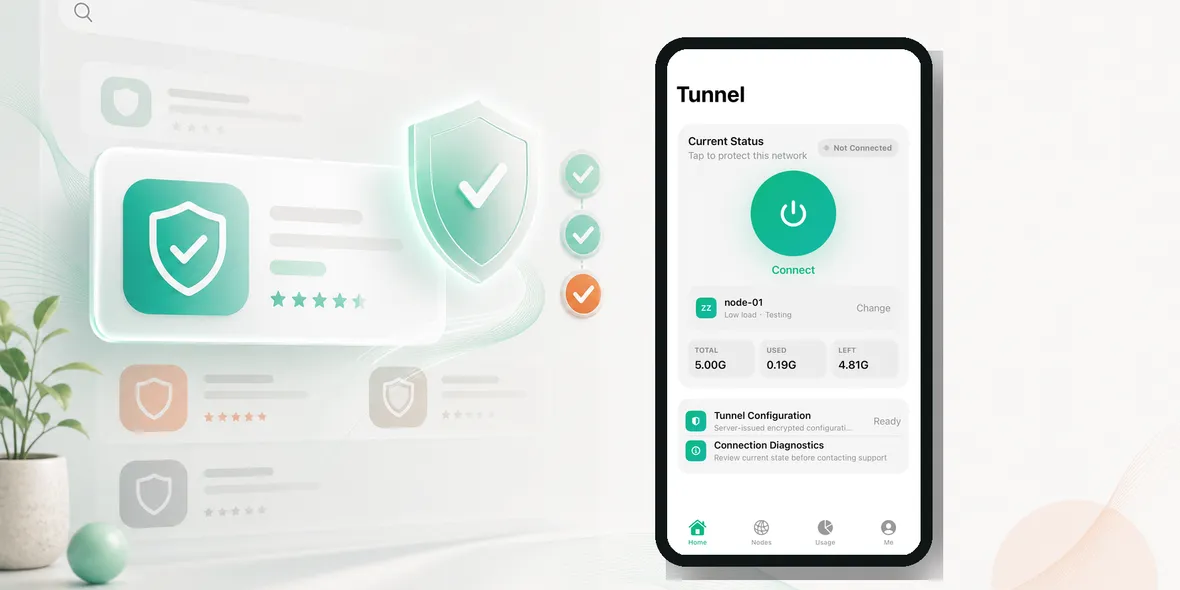
What is the simplest public Wi-Fi safety habit for iPhone users?
Before personal browsing on public Wi-Fi, confirm the network, turn on your VPN, then open your apps. That is the whole idea.
For short video, the message has to be even cleaner. You only have 10 to 15 seconds, so every word should point to a real situation.
The 15-Second Message
Use this structure:
- show the place: airport, hotel, cafe, campus, or train station
- show the problem: public Wi-Fi before personal browsing
- show the action: open Sovatun and connect
- show the reassurance: clear usage and honest data boundaries
The copy should not say one tap protects all privacy. A VPN helps protect the connection layer. That is the honest version.
Example Script: Airport
Text on screen:
Airport Wi-Fi? Check the network first.
Open Sovatun before checking bookings or email.
Private tunnel. Clear usage. No complicated setup.
Example Script: Hotel
Text on screen:
Hotel Wi-Fi is still shared Wi-Fi.
Turn on Sovatun before account pages.
Use mobile data for the most sensitive tasks.
Example Script: Cafe
Text on screen:
Working from a cafe?
Confirm the Wi-Fi name.
Connect Sovatun before opening work apps.
What The Video Should Show
The product interface should be real. If the video shows the app, use Sovatun’s actual iPhone UI: connection status, connect button, node/location, usage screen, or settings. Fake generated app UI will weaken trust.
The scene can be simple: hand with iPhone near a coffee cup, suitcase at an airport gate, hotel desk, or train platform. The point is recognition. A user should think, yes, I do that.
Honest Privacy Line
Use this when there is room:
Sovatun does not collect browsing history, visited URLs, DNS query details, or raw traffic content.
That sentence is more credible than vague privacy claims. It also helps Sovatun sound transparent instead of exaggerated.
What To Avoid
Avoid:
- one tap protects your privacy
- anonymous forever
- unlock anything
- bypass restrictions
- fake app screens
- dark stock footage with no real product signal
Short content can still be useful and accurate. It just needs to focus on one habit.
Show Sovatun as a simple iPhone VPN habit in public Wi-Fi safety content.
Takeaway
The best short video does not explain everything. It makes one useful habit memorable: public Wi-Fi first, Sovatun second, personal browsing third.
Shot List For Better Videos
Use real scenes and real product screens. A strong 15-second video can be built with five shots:
- The public Wi-Fi place: airport gate, hotel desk, cafe table, or train platform.
- The user opening Wi-Fi on iPhone.
- The user opening the real Sovatun app.
- The connected status or usage screen.
- A simple closing line with the official site.
This is more believable than abstract stock footage. Viewers should recognize the moment immediately.
Caption Examples
Try captions like:
- Airport Wi-Fi? Check the network, then connect Sovatun before personal browsing.
- Hotel Wi-Fi is still shared Wi-Fi. Use a private tunnel before account pages.
- Cafe work session? Turn on Sovatun before opening work apps.
Keep the caption honest. Do not say the VPN protects every part of privacy. Say it helps with the connection layer and that Sovatun does not collect browsing history, visited URLs, DNS query details, or raw traffic content.
Why This Works
Short videos work when they show one useful decision. The user should finish the video knowing exactly what to do next time they join public Wi-Fi.
Three Finished Video Concepts
Concept 1: Airport Wi-Fi in one tap. Start with a suitcase at the gate, show the Wi-Fi list, show Sovatun connected, then show the user checking a booking. The line is: public Wi-Fi first, Sovatun second, booking third.
Concept 2: Hotel Wi-Fi is still shared. Show a hotel desk or room key, then the iPhone opening Sovatun before email. The line is: your room is private, but the Wi-Fi may be shared.
Concept 3: Cafe work check. Show a laptop or notebook, coffee, and iPhone. The user opens Sovatun before work apps. The line is: before work accounts on cafe Wi-Fi, use a private tunnel.
Editing Notes
Keep the video bright, clear, and specific. Do not use dark abstract privacy visuals. Do not use fake app screens. The strongest Sovatun videos should show the real interface because the actual app is simple and readable.
Use captions that a viewer can understand with sound off. End with one clean CTA connected to the scene, not a generic slogan.