Airport Wi-Fi During Summer Travel 2026: A Simple iPhone VPN Routine
A practical, plain-language guide for iPhone users using airport Wi-Fi during the summer travel season, with simple checks and honest VPN limits.
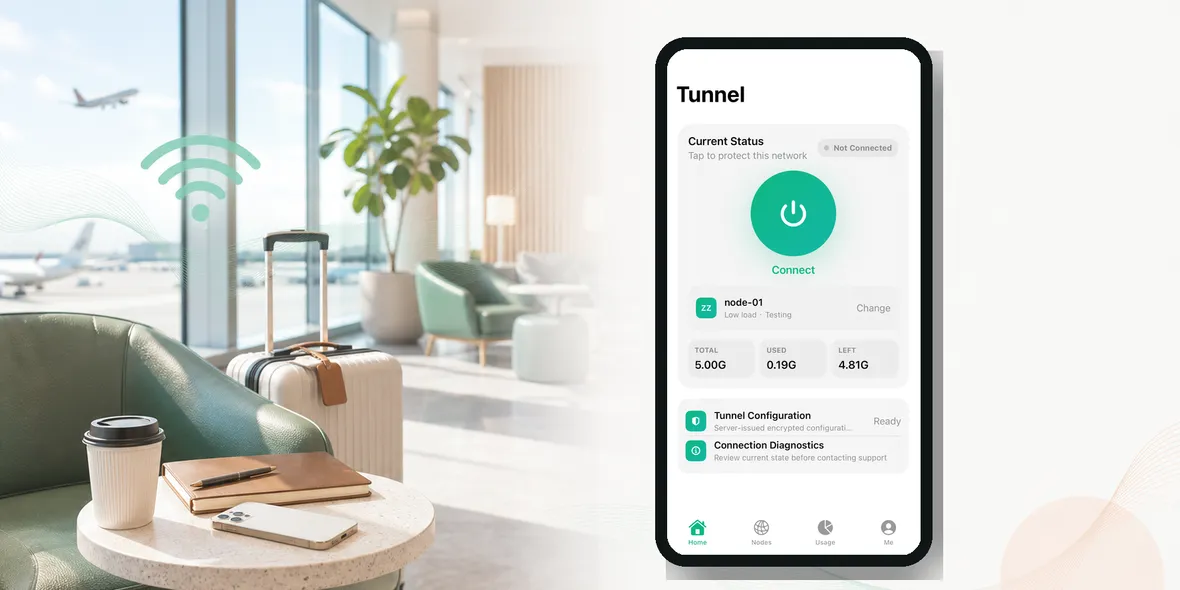
If you are asking “is airport Wi-Fi safe?”, the short answer is: it can be useful, but you should not treat it like your home Wi-Fi.
Airport Wi-Fi is a shared network. Many people are joining it, leaving it, switching devices, opening travel apps, and rushing through login pages. That does not mean every airport network is dangerous. It means the safer habit is to assume you are on a public connection and act accordingly.
This matters more during summer travel because airports get crowded, phone batteries get low, mobile data may be limited, and people make quick decisions. You might connect to Wi-Fi just to check a gate change, but five minutes later you are opening email, hotel reservations, payment confirmations, and work messages.
That is when a simple routine helps.
The Simple Answer
Airport Wi-Fi is okay for low-risk browsing if you connect carefully. It is less ideal for signing into important accounts, checking payment details, or sending work files unless you add a few safety steps.
Think of airport Wi-Fi like a public table at a busy food court. You can sit there and use it. You just would not spread out your passport, wallet, boarding pass, and laptop password notes for everyone to see.
On your iPhone, the goal is not to panic. The goal is to reduce avoidable risk.
Why Airport Wi-Fi Feels Riskier Than Normal Wi-Fi
At home, you usually know the network name, the router, and who uses it. At an airport, you may only see a list of names like “Free Airport WiFi”, “Airport Guest”, “Terminal Wi-Fi”, or “Lounge WiFi”.
The problem is that travelers often connect based on the name alone. A fake or lookalike network can use a name that sounds official. A login page can also look normal at first glance. When people are tired, late, or worried about a flight, they are less likely to notice small warning signs.
There is also the basic issue of public traffic. A public Wi-Fi network is not under your control. You do not know how it is configured, who manages it, or what other devices are nearby. Modern websites using HTTPS protect a lot, but that does not make the whole network trustworthy.
A Real Airport Situation
Imagine this:
You land in another country. Your mobile roaming is expensive, so you connect to airport Wi-Fi. You need to check the hotel address, message your driver, and open your email because the airline sent an update.
Nothing here sounds unusual. This is exactly how people travel.
The risk comes from stacking small actions together. First it is “just checking the gate.” Then it becomes “logging into email.” Then it becomes “opening a hotel booking.” Then it becomes “checking a card charge.” Public Wi-Fi becomes part of your personal workflow without you noticing.
That is why a good airport Wi-Fi habit should happen before you open sensitive apps, not after you feel worried.
What To Check Before You Connect
Before joining airport Wi-Fi, do three quick checks:
- Look for the official Wi-Fi name on airport signs, the airport website, or the airport app.
- Avoid networks with names that feel too generic, misspelled, or too good to be true.
- Be cautious if the login page asks for unnecessary personal details.
If the Wi-Fi page asks for your passport number, card details, or account password for something unrelated, stop. Use mobile data or ask airport staff.
Also, do not ignore iPhone warnings. If Safari or an app warns you about a certificate, an insecure page, or a suspicious redirect, do not click through just because you are in a hurry.
What A VPN Helps With
A VPN can help by creating a private tunnel between your iPhone and the VPN service. On public Wi-Fi, that can make your connection more protected at the network layer.
That is useful at airports because you do not control the network. A VPN can help reduce what the local Wi-Fi environment can observe or interfere with.
But it is important to keep expectations real. A VPN does not make every app private. It does not stop you from entering a password into a fake website. It does not protect you if you approve a scam login page or share a verification code with someone.
So the honest way to use a VPN is this: use it as one part of a public Wi-Fi routine, not as magic.
A Better Airport Wi-Fi Routine
Here is a simple version you can actually remember:
- Confirm the official Wi-Fi name.
- Connect your iPhone.
- Open your VPN before browsing.
- Use trusted apps and websites.
- Avoid entering card details unless you have to.
- Disconnect when you are done.
If you are only checking public information, like a map or weather, the risk is lower. If you are checking email, travel bookings, banking, work tools, or account pages, slow down and use the full routine.
Common Mistakes Travelers Make
The first mistake is connecting to the first Wi-Fi name that looks close enough.
The second mistake is assuming “free airport Wi-Fi” means “official airport Wi-Fi.” It might, but you should verify it.
The third mistake is using the same relaxed behavior as home Wi-Fi. At home, you may stay connected all day. At an airport, it is better to connect only when you need it, then leave.
The fourth mistake is believing a VPN protects every part of privacy. It helps with the connection layer, but your browser, apps, websites, and accounts still matter.
Where Sovatun Fits
Sovatun is made for this kind of everyday iPhone moment: you are on public Wi-Fi, you want a simple private tunnel, and you do not want a complicated setup.
Sovatun does not collect browsing history, visited URLs, DNS query details, or raw traffic content. That is a clearer promise than saying “complete privacy” or “anonymous forever.”
If your travel routine includes airports, hotels, cafes, train stations, or shared networks, Sovatun gives you a simple step you can take before opening personal apps.
Use Sovatun for airport Wi-Fi, travel days, and everyday public networks.
The Practical Rule
Airport Wi-Fi is not something you need to fear. It is something you need to treat like public space.
Use it for convenience. Verify the network. Turn on your VPN before personal browsing. Avoid strange login pages. Keep your expectations realistic.
That one habit can make summer travel feel a lot less messy.