Travel Bookings on Public Wi-Fi: A Safer iPhone Routine
A practical guide for iPhone users checking flights, hotels, rental cars, and travel emails on public Wi-Fi, with safer steps and realistic VPN limits.
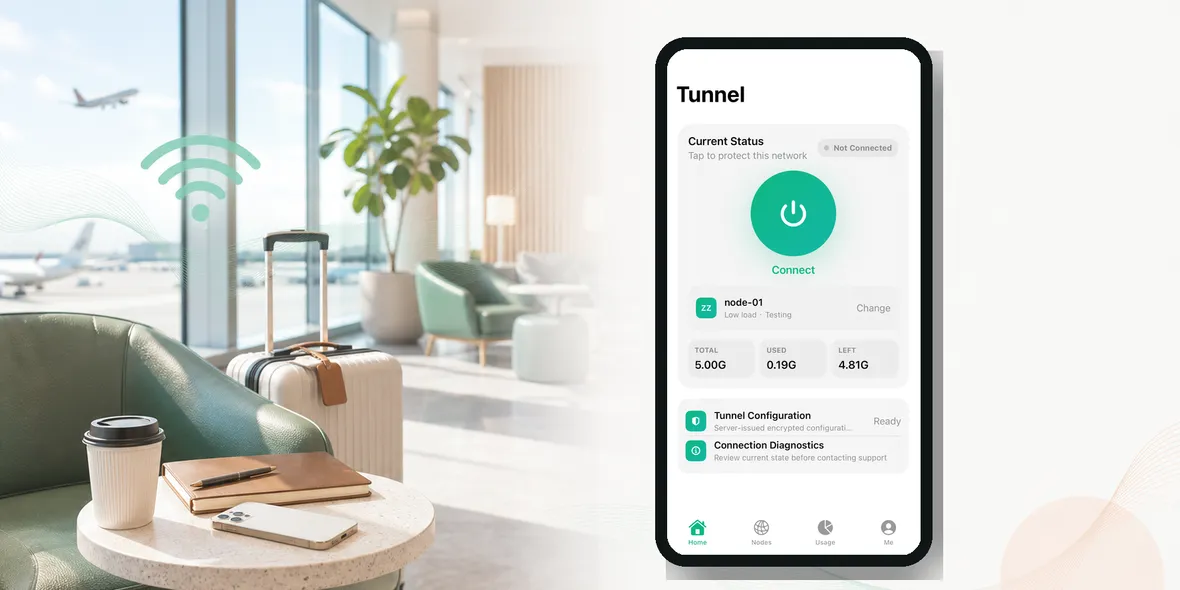
Most travelers check bookings on public Wi-Fi without thinking about it. You are at the airport, your mobile data is slow, and you need to open a flight email or hotel confirmation.
So should you check travel bookings on public Wi-Fi?
The simple answer is: yes, you can, but be careful when the booking involves personal details, account login, payment information, or changes to your reservation.
Looking at a confirmation number is one thing. Signing into an account and changing payment details is another.
Why Travel Bookings Matter
Travel bookings contain more personal information than people realize.
A hotel or flight confirmation may include:
- Your full name
- Email address
- Phone number
- Travel dates
- Hotel location
- Reservation number
- Partial payment information
- Loyalty account details
- Links to manage the booking
That information may not be as sensitive as a banking password, but it is still personal. It can also be useful to scammers if combined with other details.
That is why booking pages deserve more care than casual browsing.
The Normal Travel Situation
Imagine you are in an airport line and need to check whether your hotel allows late check-in. You connect to airport Wi-Fi and open your email.
Then you click the hotel confirmation. The page asks you to sign in. You forgot the password, so you reset it. Then you check your card on file. Maybe you update the booking.
What started as a quick check became a full account session on public Wi-Fi.
That is common. The risk is not one dramatic action. It is a chain of small actions.
Low-Risk Vs Higher-Risk Booking Tasks
Lower-risk tasks include:
- Reading a confirmation email
- Checking public flight status
- Looking up a hotel address
- Viewing a map
- Checking airport terminal information
Higher-risk tasks include:
- Signing into a travel account
- Resetting a password
- Updating payment information
- Changing a booking
- Uploading documents
- Opening unknown links from emails
- Entering passport or ID details
If the task is higher-risk, use a safer routine.
A Safer Routine For Booking Checks
Before checking bookings on public Wi-Fi:
- Confirm the official Wi-Fi name.
- Avoid lookalike networks.
- Turn on your VPN.
- Open the booking through the official app or typed website.
- Avoid random links in emails if possible.
- Do not ignore browser warnings.
- Use mobile data for payment changes if the Wi-Fi feels suspicious.
The “official app or typed website” part matters. If you receive a strange email saying your booking needs urgent action, do not click quickly. Open the airline or hotel app directly.
What A VPN Helps With
A VPN helps protect the connection layer by creating a private tunnel from your iPhone. That can be useful on public Wi-Fi because you do not control the network.
For travel bookings, a VPN is a good step before opening personal pages on airport, hotel, cafe, or train station Wi-Fi.
But a VPN does not verify that an email is real. It does not stop you from clicking a fake booking link. It does not guarantee that every website handles data well. It does not replace two-factor authentication.
So use the VPN, but also use common sense around links and account changes.
How To Handle Payment Pages
If you need to update a card, pay a balance, or enter billing information, mobile data is often the better choice.
If you must use public Wi-Fi, verify the network, turn on your VPN, and use the official app or website. Check that the site address looks right. Do not enter card details on a page reached through a suspicious email.
Also remember that many booking changes can wait. If you are tired, rushed, or unsure, wait until you are on a more trusted connection.
What About Hotel Wi-Fi?
Hotel Wi-Fi is still public enough to treat carefully.
It may feel safer because you are inside the hotel, but many guests use the same network. If you need to check a booking or sign into a travel account from your room, use the same routine: official network, VPN on, trusted app, no suspicious links.
This is especially important if you are traveling internationally and relying heavily on hotel Wi-Fi to avoid roaming charges.
Where Sovatun Fits
Sovatun is useful for the common travel moment when you need to open booking details on an iPhone while using public Wi-Fi. It gives you a simple private tunnel without turning the task into a technical project.
Sovatun does not collect browsing history, visited URLs, DNS query details, or raw traffic content. It also keeps usage clear, which helps when you are traveling and using public networks often.
Use Sovatun before checking travel bookings on airport, hotel, cafe, or train station Wi-Fi.
Bottom Line
You can check travel bookings on public Wi-Fi, but treat booking pages as personal information.
For quick public information, the risk is lower. For account logins, password resets, booking changes, or payment pages, slow down. Confirm the Wi-Fi, turn on your VPN, use official apps, and switch to mobile data when something feels off.
Travel is already stressful. A simple routine makes it easier.