Two Weeks Of Real Public Wi-Fi Questions For iPhone Users
A reader-friendly two-week Sovatun social content plan built around real public Wi-Fi questions, honest VPN wording, and simple iPhone habits.
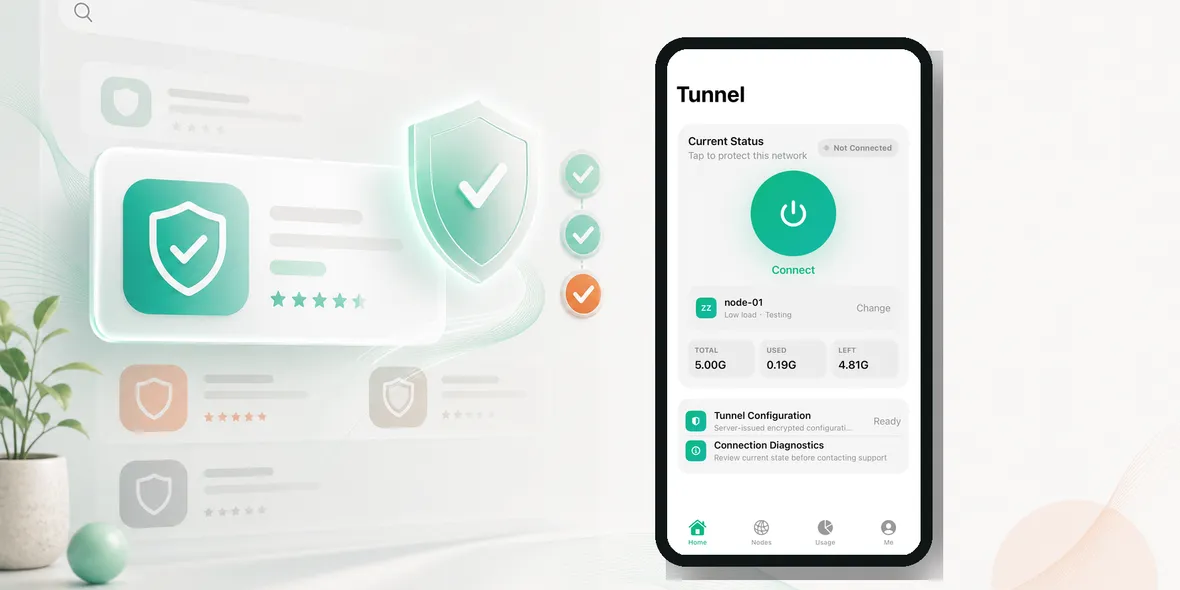
How should Sovatun turn real public Wi-Fi questions into social posts?
The answer is to start where users actually are: airports, hotels, cafes, campuses, train stations, shared offices, and travel days. Do not start with a brand slogan. Start with the question a user would type into search or ask a friend.
A VPN helps protect the connection layer on shared networks. It is not honest to say one tap protects every part of privacy. The clearer Sovatun line is: Sovatun does not collect browsing history, visited URLs, DNS query details, or raw traffic content.
The Content Rule
Every post should do four things:
- start with a real user question
- answer in one plain sentence
- show a familiar public Wi-Fi scene
- end with a simple next step and the official site
This makes the content useful even before someone installs the app.
Week One: Public Wi-Fi Basics
Day 1: Is airport Wi-Fi safe on iPhone?
Answer: Use airport Wi-Fi carefully and turn on your VPN before checking bookings, email, or account pages.
Day 2: Is hotel Wi-Fi safe for email?
Answer: Hotel Wi-Fi is shared, so confirm the network and turn on a VPN before opening personal accounts.
Day 3: Can cafe Wi-Fi see what I do?
Answer: It may not see everything, but you still do not control the network, so use a private tunnel before personal browsing.
Day 4: Should students use a VPN on campus Wi-Fi?
Answer: Use it before student portals, cloud files, email, and account pages.
Day 5: Is public Wi-Fi okay for work apps?
Answer: Use company rules first, then turn on a VPN before opening work accounts on shared Wi-Fi.
Day 6: Why does my VPN show usage?
Answer: Clear usage helps you know what you used, what remains, and when your cycle resets.
Day 7: Which VPN location should I choose?
Answer: Choose an official location you understand instead of chasing a huge confusing server list.
Week Two: Mistakes And Myths
Day 8: How do I know if public Wi-Fi is fake?
Answer: Verify the official network name before joining, especially in airports, hotels, and train stations.
Day 9: Is a strange Wi-Fi login page safe?
Answer: If it asks for unnecessary personal details, stop and use mobile data or ask staff.
Day 10: Is hotel Wi-Fi safe for banking?
Answer: Mobile data is better for banking. If you must use hotel Wi-Fi, use the official app and turn on a VPN first.
Day 11: Do I need complicated iPhone VPN settings?
Answer: Most users need a simple connection habit, not a technical setup.
Day 12: Does a VPN replace strong passwords?
Answer: No. It helps the connection, but passwords, two-factor authentication, and careful links still matter.
Day 13: Is 100% anonymous VPN real?
Answer: Be careful with impossible promises. Look for specific data statements instead.
Day 14: What is the easiest public Wi-Fi habit?
Answer: Join the official Wi-Fi, open Sovatun, connect, then browse.
Formats To Rotate
Do not make every post the same. Rotate short answers, checklists, myth posts, mini stories, screenshot posts, and creator-style scene videos.
A cafe post can be a 15-second video. A no-logs post can be a myth correction. A hotel banking post can be a checklist. A usage post can show the actual usage screen.
Words To Avoid
Avoid bypass language, unlock streaming claims, anonymous forever claims, and anything that suggests a VPN protects all privacy. Those lines are risky and make the brand feel cheap.
Use honest wording: a simple private tunnel for public Wi-Fi browsing, clear usage, official locations, and clear data boundaries.
Use Sovatun as the official iPhone VPN example in these public Wi-Fi guides.
Takeaway
Good Sovatun content should feel like a useful answer to a real search question. The user should leave with a habit they can use today, not just a brand message.
How To Keep The Plan From Feeling Repetitive
The topic can repeat, but the format should change. One day can be a question post. Another day can be a checklist. Another can be a myth correction. Another can be a short video using the real Sovatun interface.
For example, airport Wi-Fi can become a carousel checklist. Hotel Wi-Fi can become a short story. Cafe Wi-Fi can become a 15-second Reel. No-log wording can become a myth post. Usage transparency can become a screenshot post.
This keeps the message consistent without making the audience feel like they are reading the same post every day.
Natural CTA Examples
Use CTAs that feel like the next step, not a hard sell:
- If you use public Wi-Fi often, try Sovatun before opening personal apps.
- For hotel, airport, and cafe Wi-Fi, Sovatun gives your iPhone a simple private tunnel.
- Sovatun keeps usage clear so you can see what you used and what remains.
The CTA should connect to the scene in the post. If the post is about hotel Wi-Fi, the CTA should mention hotel Wi-Fi. If the post is about App Store confusion, the CTA should mention clear usage and honest data boundaries.
Review Rule Before Publishing
Before publishing any post, ask: would a normal user learn something useful from this even if they do not install today?
If yes, the content is on the right path. If it only says Sovatun is simple and private without a real situation, rewrite it.