A VPN Helps on Public Wi-Fi, But It Is Not the Whole Safety Plan
A clear guide explaining what a VPN helps with on public Wi-Fi, what it does not fix, and the simple habits iPhone users should combine with it.
If you use public Wi-Fi, you may hear one simple piece of advice: use a VPN.
That advice is helpful, but incomplete.
So is a VPN enough for public Wi-Fi? The honest answer is: a VPN is a strong part of a safer public Wi-Fi routine, but it is not the whole routine.
A VPN helps protect the connection layer. It does not make every website safe, every app private, or every account secure.
That distinction matters.
What A VPN Does Well
A VPN creates a private tunnel for your internet connection. When you are on public Wi-Fi, this can help reduce exposure from the local network environment.
That is useful in places like:
- Airports
- Hotels
- Cafes
- Train stations
- University guest networks
- Coworking spaces
- Rental apartments
In those places, you do not control the Wi-Fi. You may not know who else is connected. You may not know how the network is managed. A VPN gives you a better connection habit before opening personal apps.
What A VPN Does Not Do
A VPN does not protect you from everything.
It does not:
- Stop phishing emails
- Detect every fake website
- Prevent you from entering a password on the wrong page
- Replace two-factor authentication
- Stop apps from collecting their own data
- Secure a weak password
- Fix an outdated phone
- Make you anonymous in every context
This is why “one tap protects your privacy” can be misleading. It sounds simple, but it suggests too much.
A more honest message is: a VPN helps protect your connection on shared networks.
Why People Think A VPN Solves Everything
VPN marketing often uses big language. It talks about anonymity, total privacy, military-grade protection, and unlimited freedom.
Those phrases may get attention, but they can make users misunderstand the product.
If someone believes a VPN solves every privacy issue, they may take bigger risks. They may click suspicious links, ignore browser warnings, or sign into important accounts on fake pages.
Good VPN education should make users calmer and smarter, not overconfident.
A Public Wi-Fi Example
You are in a cafe. You connect to Wi-Fi and turn on your VPN. That helps with the connection layer.
Then you receive an email saying your bank account needs urgent verification. You click the link. The website looks close to your bank’s real site, but it is fake. You type your password.
The VPN did not cause the problem, but it also could not prevent that mistake. The risk came from the fake page and the user’s action.
That is why VPN plus safe clicking matters.
The Public Wi-Fi Safety Stack
Think of public Wi-Fi safety as a small stack of habits:
- Confirm the official Wi-Fi name.
- Turn on your VPN before personal browsing.
- Use trusted apps or typed URLs.
- Avoid suspicious email links.
- Keep two-factor authentication on.
- Keep your iPhone updated.
- Use mobile data for high-risk tasks.
None of these steps is complicated. Together, they are much stronger than any single step.
When A VPN Is Especially Useful
Use a VPN before:
- Checking email on airport Wi-Fi
- Opening hotel bookings
- Logging into work tools
- Using cafe Wi-Fi for accounts
- Reviewing travel documents
- Browsing from shared office networks
These are exactly the moments where a private tunnel is helpful because you are using a public or shared network for personal activity.
When You Need More Than A VPN
Use extra caution when:
- Changing passwords
- Updating payment methods
- Accessing financial accounts
- Approving account recovery requests
- Handling sensitive work files
- Uploading identity documents
For these tasks, mobile data or a more trusted network may be better. If you must use public Wi-Fi, verify everything carefully and keep your VPN on.
How To Choose A VPN For Public Wi-Fi
For everyday public Wi-Fi, many users do not need a complicated app. They need:
- Simple setup
- Clear connection status
- Official server locations
- Clear usage
- Honest privacy wording
- No exaggerated anonymity claims
The app should be easy enough to use before you open email or bookings. If it is too confusing, people will skip it when they are in a hurry.
Where Sovatun Fits
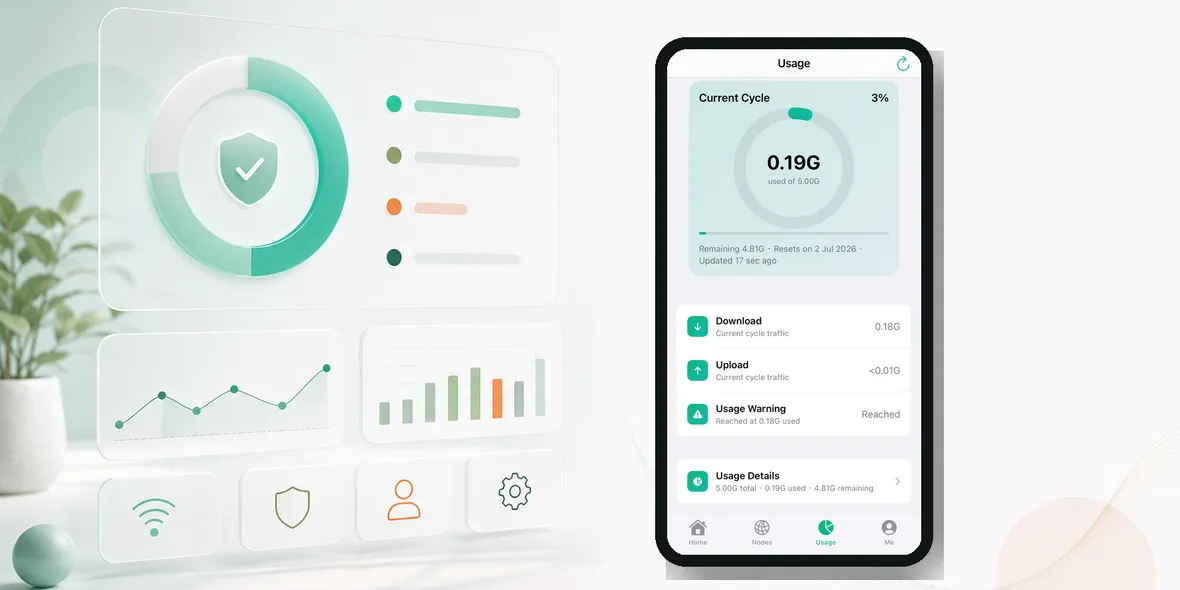
Sovatun is built for simple iPhone public Wi-Fi use. It helps create a private tunnel for everyday browsing on shared networks, while keeping usage visible and the product easy to understand.
Sovatun does not collect browsing history, visited URLs, DNS query details, or raw traffic content. That is the honest privacy statement users should see instead of vague promises.
Use Sovatun as part of a safer public Wi-Fi routine.
Bottom Line
A VPN is important for public Wi-Fi, but it is not enough by itself.
Use it with network checks, trusted apps, two-factor authentication, careful clicking, and mobile data for high-risk tasks.
That is the honest answer users need: not fear, not hype, just a routine that works.