Before You Allow a VPN on iPhone, Read These Privacy Details
A practical checklist for iPhone users before tapping Allow on a VPN app, including privacy wording, official locations, usage, and support.
Quick Answer
Before allowing a VPN on iPhone, check who runs the service, whether locations are official, what data the VPN says it does not collect, whether usage is clear, and whether support and diagnostics are explained. Do not rely on vague privacy slogans.
Best For
Search Intent
The reader wants to know what to check before approving VPN permissions on iPhone.
Shareable Angle
Before you tap Allow, ask what the VPN does not collect.
When an iPhone VPN asks for permission, it can feel serious.
You may see a system prompt asking whether the app can add VPN configurations. If you are not technical, you may wonder whether tapping Allow is safe.
That is a good instinct. A VPN is not just another app. It handles your network connection when the tunnel is active.
The answer is not to panic. The answer is to check the right things before trusting it.
The Simple Answer
Before allowing a VPN on iPhone, check what the service is, who runs it, whether locations are official, how setup works, what usage is shown, and what data the VPN says it does not collect.
Do not make the decision based only on words like private, secure, anonymous, unlimited, or fastest.
Those words may sound good, but they are not specific enough.
Why Privacy Is In The Spotlight This Week
Apple’s WWDC26 announcements put privacy language back in the center of iPhone conversations. Apple described its next generation of Apple Intelligence as using a privacy-first architecture, including on-device processing and Private Cloud Compute for more complex requests.
That is not the same topic as a VPN permission prompt, but it does raise the right user habit: do not trust broad privacy language alone. Ask what is processed where, what is collected, what is not collected, and who controls the service.
Sources: Apple WWDC26 announcement and Apple Intelligence privacy overview
Why The Permission Exists
iOS needs user approval before an app can add VPN configuration.
That is normal. A VPN app needs system permission to create the tunnel and route traffic when enabled.
The prompt itself does not mean the app is bad. It means the app is asking for a powerful role, and the user should understand the service before agreeing.
The question is not “should VPN apps ever ask for permission?” They must.
The better question is “has this VPN earned enough trust before I tap Allow?”
What To Check First
Use this checklist:
- Does the app clearly say what it does?
- Does it use official built-in locations or external configs?
- Does it ask you to import a link or QR code from somewhere else?
- Does it explain what browsing-related data it does not collect?
- Does it show usage clearly?
- Does it explain account, purchase, support, and diagnostics data?
- Is support easy to find?
- Does the App Store privacy information match the website?
You do not need to understand every networking term. You need plain answers to practical trust questions.
The FTC has made a similar point for VPN apps: once you grant a VPN access, you are placing significant trust in that provider, so you should review the app, its terms, and its privacy policy instead of relying only on marketing claims.
Source: FTC: In the market for a VPN app?
Privacy Wording That Helps
Good VPN privacy wording should be specific.
Useful:
- We do not collect browsing history.
- We do not collect visited URLs.
- We do not collect DNS query details.
- We do not collect raw traffic content.
- We may need account, purchase, support, diagnostics, or usage data, and we explain why.
Less useful:
- absolute anonymity
- total digital privacy
- dramatic security wording
- privacy forever
- no limits, no explanation
The first group gives you something to compare. The second group asks you to trust a mood.
Official Locations Matter Too
Before approving a VPN, understand whether the service includes its own locations.
If the app asks you to import a third-party config, then you are trusting both the app and the config provider. That may be fine for technical users, but normal iPhone users should recognize the extra trust step.
An all-in-one VPN with official locations built in is easier to understand because the app, service, support, and privacy explanation belong together.
Where Sovatun Fits
Sovatun is designed as a download-and-use iPhone VPN with official locations built in. The user should not need to find an external node provider, paste a subscription URL, scan a QR code, or choose a protocol before connecting.
Before the VPN permission step, Sovatun should explain the privacy boundary clearly.
Sovatun does not collect browsing history, visited URLs, DNS query details, or raw traffic content.
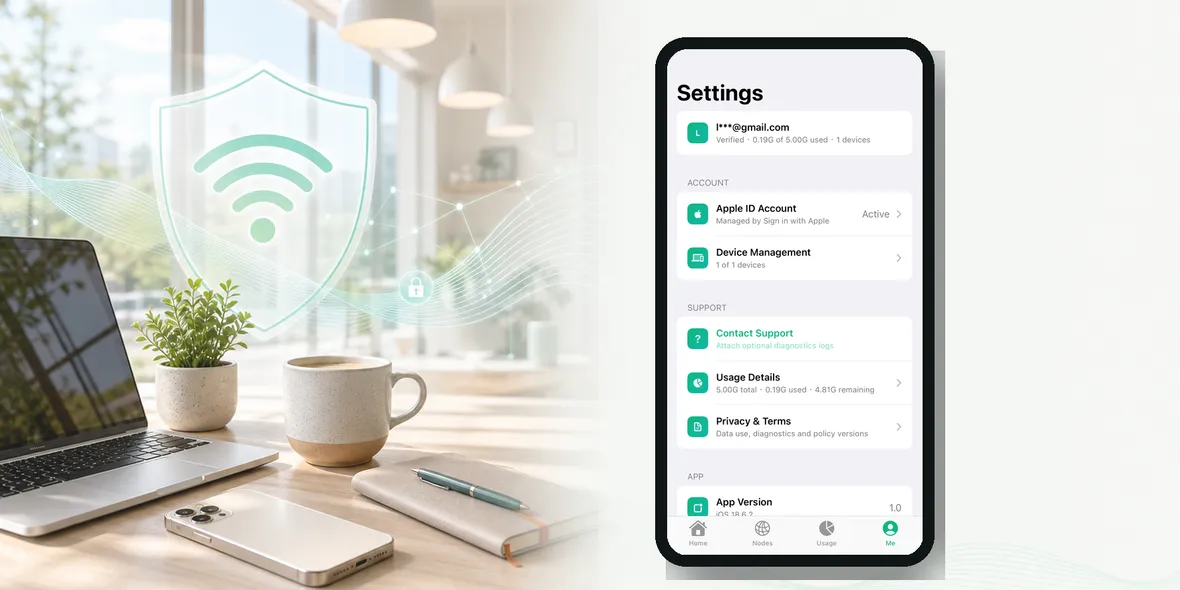
It also focuses on clear usage, account visibility, device management, support, and optional diagnostics instead of vague promises.
Bottom Line
Tapping Allow is not the first step. Understanding the VPN is the first step.
Before approving a VPN on iPhone, look for official locations, clear usage, support, and specific privacy wording. If the app cannot explain those things simply, that is the real warning sign.
Quick Questions
Is the iPhone VPN permission prompt dangerous?
Not by itself. VPN apps need permission to create a VPN configuration. The important question is whether you trust the service and understand its data boundary.
What privacy sentence should I look for?
Look for specific statements about browsing history, visited URLs, DNS query details, raw traffic content, diagnostics, account data, purchases, and usage.
What does Sovatun say?
Sovatun says it does not collect browsing history, visited URLs, DNS query details, or raw traffic content.