Is a VPN a Magic Privacy Button?
Recent iOS VPN fingerprinting discussion is a useful reminder: a VPN can help with the connection layer, but users should still understand what is protected, what is not collected, and where the limits are.
Quick Answer
No. A VPN is useful, especially on shared networks, but it is not a magic privacy button. A good VPN should explain what it helps protect, what it does not collect, what can still be visible, and where its limits are.
Best For
Search Intent
The reader wants a plain-language explanation of what a VPN can and cannot promise after seeing privacy claims or recent iOS VPN security discussions.
Shareable Angle
A VPN is useful. It is not magic. The useful question is what it protects, what it does not collect, and what still remains outside the VPN.
VPN marketing often makes privacy sound too simple.
Tap one button. Become private. Browse safely. Stay anonymous.
That is not how privacy works.
A VPN can be useful, especially when you are using hotel Wi-Fi, airport Wi-Fi, cafe Wi-Fi, campus Wi-Fi, or another shared network you do not control. But a VPN is still one layer in a bigger privacy picture. It is not a magic privacy button.
That distinction matters more after recent iOS VPN discussions.
Why This Topic Is Coming Up Now
On June 19, 2026, TechRadar reported on tests by security researchers at Mysk about internal tunnel IP fingerprinting on iOS VPNs. The discussion focused on whether iOS apps can read an internal VPN tunnel IP address and use it as an additional tracking signal across apps.
Mysk also posted about the issue publicly, saying its Loupe tool found different behavior across VPN providers. TechRadar’s report framed the issue as related to iOS networking behavior and noted that the publication did not independently verify every VPN service.
For normal users, the point is not to memorize internal IP addresses or WireGuard behavior.
The point is simpler: VPN privacy depends on details. Some of those details are technical. Some are product choices. Some are platform behavior. A good VPN product should not hide that complexity behind vague slogans.
TechRadar’s report on iOS VPN internal tunnel IP fingerprinting and Mysk’s public post are useful reading if you want the technical context.
The Plain-English Version
When you turn on a VPN, your iPhone creates a VPN tunnel. Your traffic goes through that tunnel before reaching the wider internet.
That can help in shared network situations because the local Wi-Fi network has less direct visibility into your connection. This is why VPNs are often useful in public places.
But your privacy is still affected by more than the tunnel.
Your privacy can also depend on:
- The VPN provider’s design
- The operating system’s networking behavior
- The apps you use
- The websites you sign into
- The permissions you grant
- The browser or app fingerprinting signals still available
- The data the VPN provider says it collects or does not collect
This is why “VPN = private” is too shallow.
A better mental model is: VPNs can help with the connection layer, but they do not replace every other privacy habit.
What A VPN Can Help With
A VPN can be useful when the network itself is not fully trusted.
That includes common situations like:
- Hotel Wi-Fi
- Airport Wi-Fi
- Cafe Wi-Fi
- Train station Wi-Fi
- Campus Wi-Fi
- Shared office Wi-Fi
- Vacation rental Wi-Fi
In those places, you may not control the router, the login page, the network name, or the other devices on the network.
A VPN can add a private tunnel for your connection. That is useful. It is practical. It is one reason many iPhone users look for a VPN before browsing on public Wi-Fi.
But that does not mean the VPN controls everything.
VPN Helps With vs VPN Does Not Help With
Here is the simplest way to think about the boundary:
| VPN can help with | VPN does not automatically help with |
|---|---|
| Reducing what the local public Wi-Fi network can see about your connection | Hiding your identity from websites where you sign into an account |
| Adding a private tunnel before everyday browsing on shared networks | Stopping apps from using permissions you already granted, such as location access |
| Making hotel, airport, cafe, campus, or shared-office Wi-Fi feel less exposed | Preventing phishing if you type a password into a fake login page |
| Masking your direct IP address from some websites and network observers | Removing browser fingerprinting or app fingerprinting signals by itself |
| Giving users a simple connection-layer habit before browsing | Replacing strong passwords, two-factor authentication, safe links, or privacy settings |
| Helping users choose official VPN locations in one app | Proving that every privacy claim is true without clear policies, audits, or product details |
The practical takeaway is not “VPNs are useless.” The takeaway is that VPNs have a specific job. They are most understandable when the product explains that job clearly.
What A VPN Does Not Magically Fix
A VPN does not make every action private.
If you sign into a website, that website still knows your account. If an app has location permission, it may still use that permission. If a website fingerprints your browser or app environment, a VPN alone may not stop every signal. If you type your password into a fake login page, a VPN does not turn that page into a safe one.
A VPN also does not remove the need to trust the VPN provider.
That is why VPN privacy wording matters.
The weakest wording is broad and dramatic:
- “100% anonymous”
- “total privacy”
- “complete protection”
- “military-grade privacy”
- “one tap protects everything”
Those claims sound powerful, but they do not tell a user what is actually happening.
The Better Question To Ask
Do not ask only: “Is this VPN private?”
Ask:
- What does this VPN help protect?
- What does the VPN say it does not collect?
- What data does the service still need to operate?
- What is still visible to websites, apps, or accounts I sign into?
- Are the limits explained in plain language?
Those questions are more useful because they force the product to be specific.
For example, “we do not collect browsing history, visited URLs, DNS query details, or raw traffic content” is more useful than “we protect your privacy.” It names the categories users care about.
That kind of wording is not flashy. It is better.
Why “No Logs” Is Not Enough By Itself
“No logs” is one of the most common VPN phrases.
It can be meaningful, but only if the product explains what it means.
No logs of browsing history? No logs of URLs? No DNS query details? No raw traffic content? What about account data, support messages, purchases, device count, connection diagnostics, or usage totals?
Most real services need some operational data. That does not automatically make them bad. The problem is when a product uses a big phrase without explaining the boundary.
If a VPN has usage limits, it may need to show usage. If it offers support, it may need support messages. If it uses subscriptions, it may need purchase status. If it offers optional diagnostics, it should explain what those diagnostics include.
The user should not have to guess.
How To Read VPN Privacy Claims As A Normal User
You do not need to become a network engineer.
Before using a VPN, scan for plain answers to these questions:
- Does it say whether browsing history is collected?
- Does it say whether visited URLs are collected?
- Does it mention DNS query details?
- Does it mention raw traffic content?
- Does it explain account or purchase data?
- Does it explain diagnostics?
- Does it show usage clearly?
- Does it avoid impossible privacy claims?
- Does its App Store privacy information match the product wording?
If the page only says “private, secure, anonymous” and never explains the details, that is a weak signal.
If the product explains the boundary clearly, that is a stronger trust signal.
What Recent iOS VPN Discussion Should Teach Users
The recent iOS VPN fingerprinting discussion is useful because it reminds people that privacy depends on implementation details.
Sometimes the detail is inside the VPN app. Sometimes it is in the operating system. Sometimes it is in how apps can access network information. Sometimes it is in how the provider designs the tunnel.
That does not mean normal users should panic.
It means users should be skeptical of simple slogans.
A VPN can be useful and limited at the same time. Those two ideas are not contradictory.
The better VPN products will explain both.
Where Sovatun Fits
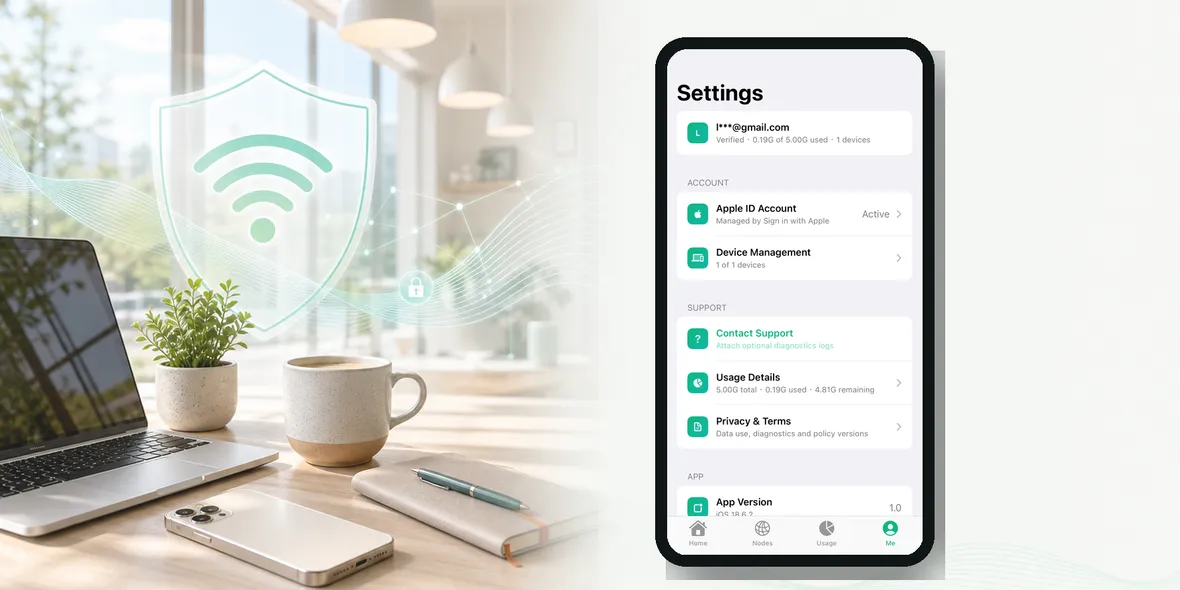
Sovatun is built around a simpler promise: an all-in-one iPhone VPN for public Wi-Fi and everyday browsing, with official locations built in, no external config files, one-tap connection, 5GB of free traffic, and clear usage.
Sovatun should not be described as a tool that protects every part of privacy. That would be too broad.
The accurate boundary is more specific: Sovatun helps with the connection layer when the VPN tunnel is enabled, and Sovatun does not collect browsing history, visited URLs, DNS query details, or raw traffic content.
That is the kind of privacy language users can actually understand.
You can also read related plain-language guides:
- What Can a VPN Provider See?
- VPN Privacy: What To Look For Before You Trust An App
- What Does a No-Logs VPN Audit Actually Mean?
Bottom Line
A VPN is useful. It is not magic.
The best VPN privacy claim is not the loudest one. It is the one that helps users understand the real boundary:
- what the VPN helps protect
- what the VPN does not collect
- what remains outside the VPN
- what limits still exist
For most people, that is the difference between marketing and trust.
Quick Questions
Is a VPN enough for complete privacy?
No. A VPN can help with the connection layer, but it does not control websites you log into, apps with their own tracking, browser fingerprinting, phishing links, or every device privacy setting.
What should normal users look for in a VPN privacy claim?
Look for clear wording about browsing history, visited URLs, DNS query details, raw traffic content, account data, diagnostics, usage data, and the limits of the VPN.
What does Sovatun say it does not collect?
Sovatun does not collect browsing history, visited URLs, DNS query details, or raw traffic content.